
Event options
Every game option, explained, so you can set up a night exactly the way your group plays.
Every game option, explained — so you can set up a night exactly the way your group plays.
Event types
Section titled “Event types”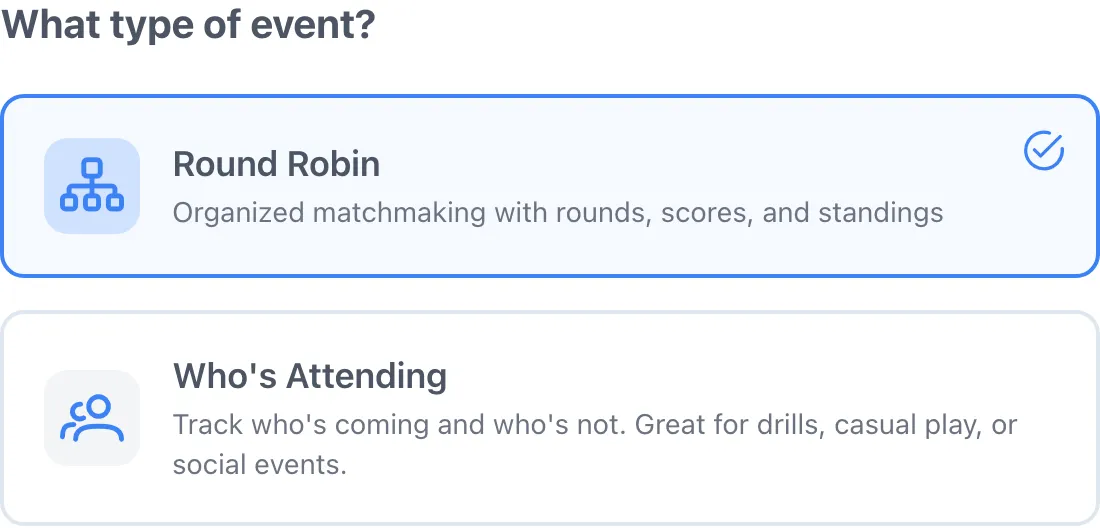
- Round Robin — “Organized matchmaking with rounds, scores, and standings.” Dink+ builds the matchups, runs each round, and keeps a live leaderboard.
- Who’s Attending — “Track who’s coming and who’s not. Great for drills, casual play, or social events.” A simple RSVP with no matchups or scoring.
Pick the type first; the rest of the options below only apply to Round Robin events.
Round Robin vs Who’s Attending — which should I pick? Round Robin builds the matchups, runs rounds, records scores, and tracks standings — pick it for organized play. Who’s Attending only tracks who’s in, with no matchups or scores — pick it for drills, clinics, or social play.
Matchmaking Type
Section titled “Matchmaking Type”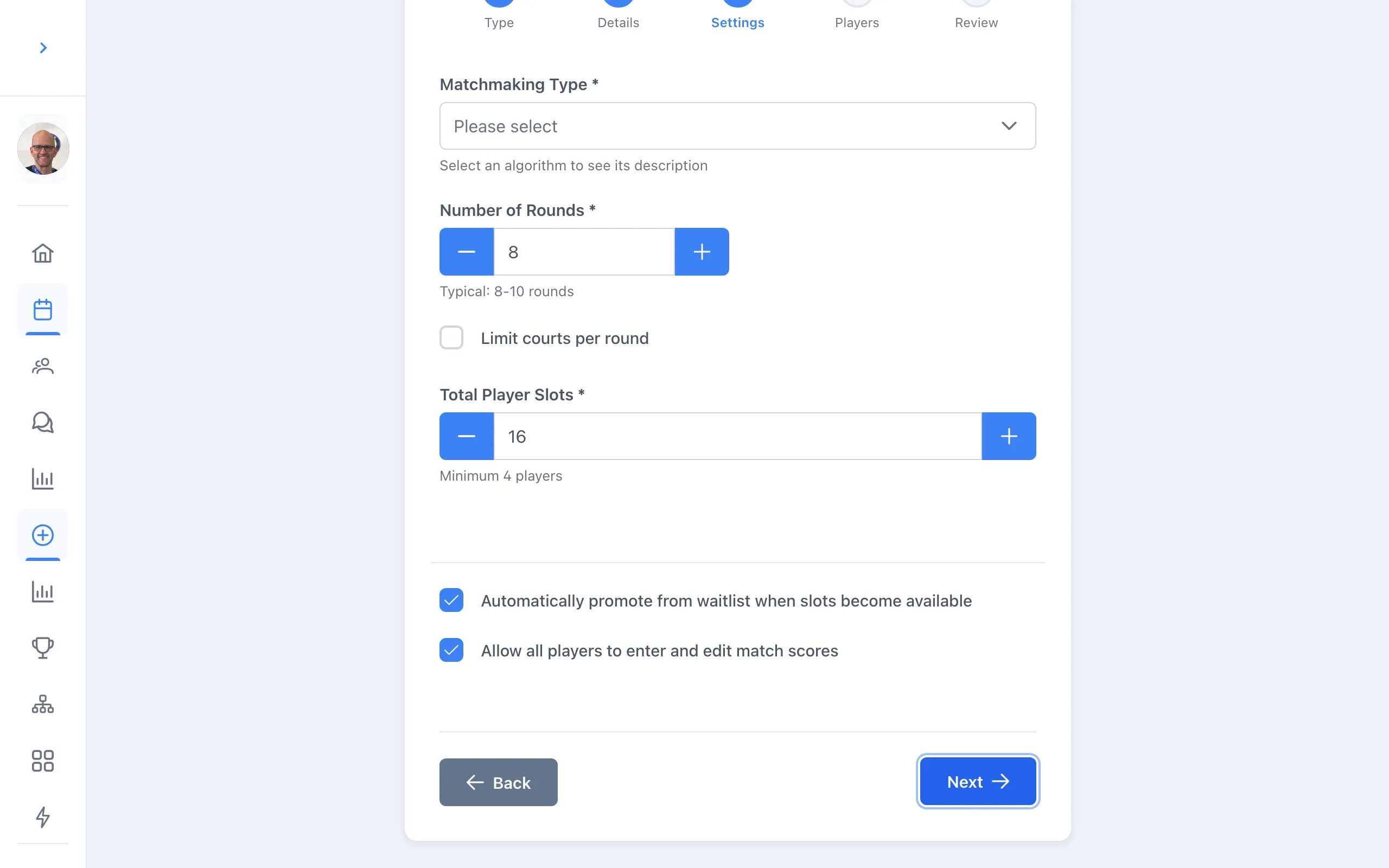
The Matchmaking Type dropdown decides how players are paired each round.
- Round Robin — gender-agnostic. Each match is 2 players vs 2 players with no gender constraints; works with any player count.
- Mixed Gender Round Robin — each match is 1 male + 1 female vs 1 male + 1 female, optimized for minimal repeat teammates and varied opponents.
- Fixed Team Round Robin — for pre-assigned partners who stay together all night; teams rotate so each plays the others.
Most groups use one of the first two.
Number of Rounds
Section titled “Number of Rounds”How many rounds of play to generate. The form suggests “Typical: 8-10 rounds.” More rounds means more games and more variety of partners and opponents.
Limit courts per round
Section titled “Limit courts per round”A checkbox — leave it off to use every available court each round. Turn it on to cap how many courts run at once: “Max courts used per round (e.g., set to 2 to only use 2 courts even with more available).” Useful when you have more players than court space and want others resting or subbing in.
Total Player Slots
Section titled “Total Player Slots”The maximum number of players who can be active in the event. Once active slots fill, additional sign-ups go to the waitlist. You can raise this later from Change Event Settings — added spots pull players up from the waitlist automatically.
Balance male/female signups automatically
Section titled “Balance male/female signups automatically”Shown for Mixed Gender Round Robin, where every match needs 1 male + 1 female on each side.
What does “Balance male/female signups automatically” do? When on: “Keeps males and females balanced as they sign up. If one gender gets ahead, the next signup of that gender goes to the waitlist until the other gender catches up.” When off, you instead set Male Slots and Female Slots by hand — together they must equal Total Player Slots.
Automatically promote from waitlist when slots become available
Section titled “Automatically promote from waitlist when slots become available”When a spot opens — someone drops, or you add slots — the next person on the waitlist is pulled in without you doing anything. In a balanced event, the next waitlisted player of the same gender is promoted so the male/female split stays intact, and male/female pairs on the waitlist are always promoted together.
Allow all players to enter and edit match scores
Section titled “Allow all players to enter and edit match scores”When on, any player in the event can record and edit scores — handy for spreading scorekeeping across courts. When off, only you (and anyone you grant co-scorer access) can enter results.