
Run event day
Post a night, generate matches, and manage it live on the court.
From generating matches to managing it on the court, here’s the organizer playbook for event day.
Generate matches
Section titled “Generate matches”- Use Shuffle Matches to build fair rounds automatically.
- Partners and opponents rotate so nobody draws the same pairing all night.
- Byes rotate too, so the same people are not sitting out.
Manage day-of
Section titled “Manage day-of”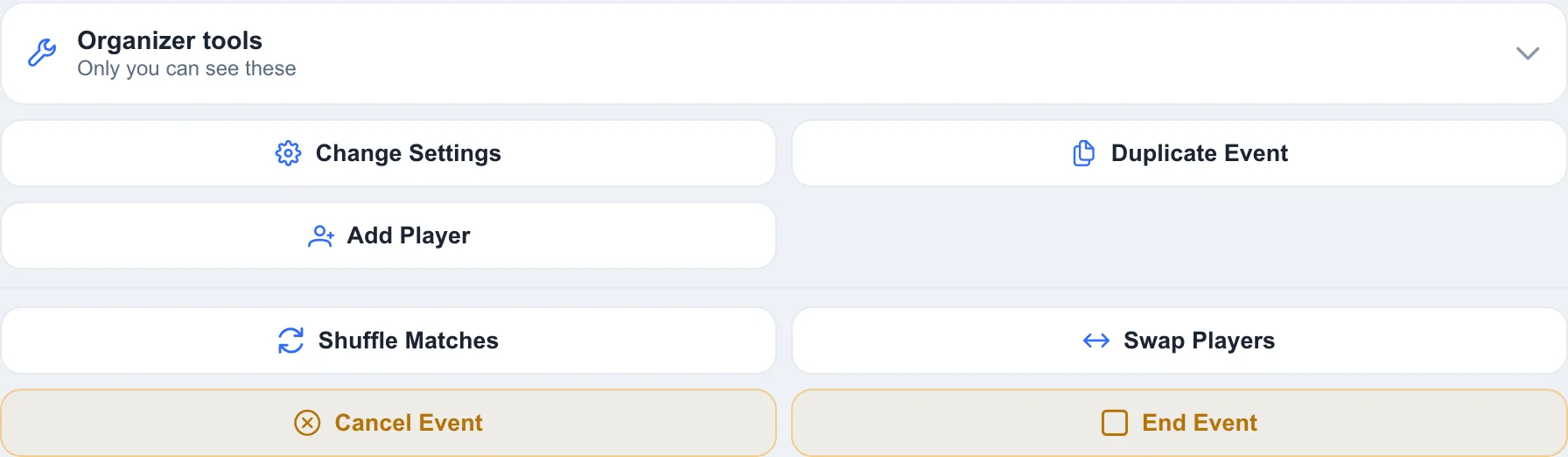
- Add Player from your group to fill a last-minute spot.
- Start Game and End Game to run each round’s lifecycle.
- Auto-approve waitlist pulls in the next player up when someone drops.
Swap players
Section titled “Swap players”Fix a lineup right from the schedule.
-
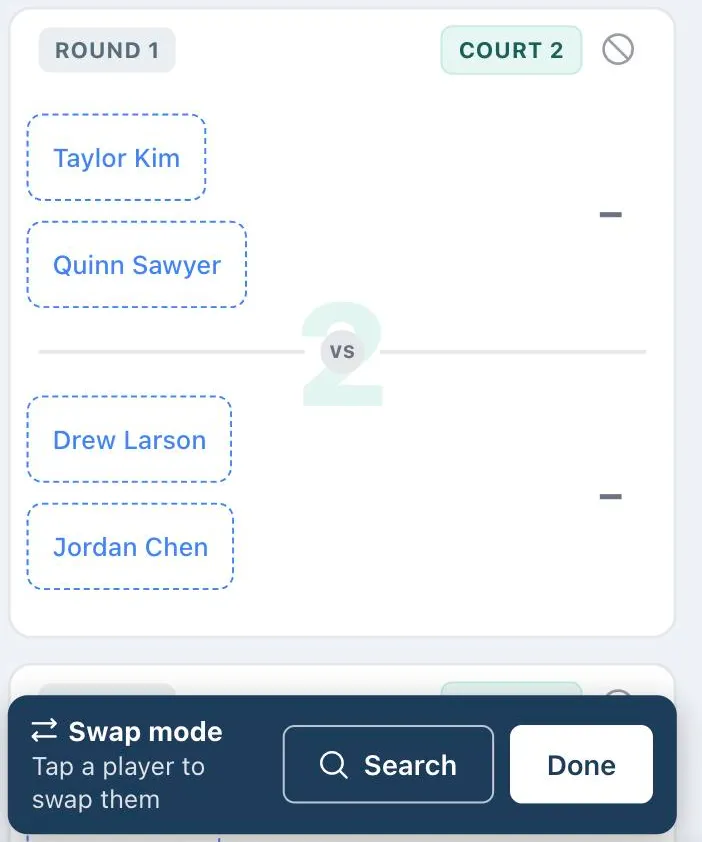
Open Organizer tools and tap Swap Players. Player names on unplayed matches turn into dashed buttons, and a bar appears at the bottom of the screen.
-
Tap the player you want to swap out. The swap dialog opens with that player and round already picked, and lists who’s sitting out that round first. Can’t spot them? Tap Search on the bar to find both players by name.
-
Pick who takes their place and tap Swap. Choose All Unplayed Rounds instead if the change should last for the rest of the event.
-
Keep going for more changes. Undo reverses the last swap. Tap Done when you’re finished.
Co-scorers and standings
Section titled “Co-scorers and standings”- Grant co-scorer access so others can help enter results.
- Scores feed the event leaderboard live as rounds finish.