
Lock two players as partners
Keep two players on the same team for a whole event while everyone else rotates.
Two players getting ready for a tournament often want to play every game together. In a Round Robin or Mixed Gender Round Robin event, you can lock them as partners. They always play on the same team and sit out together, they still face different opponents, and everyone else keeps rotating partners as usual.
Before you start
Section titled “Before you start”- You need to be the event organizer.
- Both players need to be in the event’s Going list.
- In a Mixed Gender Round Robin, a locked pair must be one man and one woman.
Lock a pair
Section titled “Lock a pair”-
Open the event and find the first player in the Players list.
-
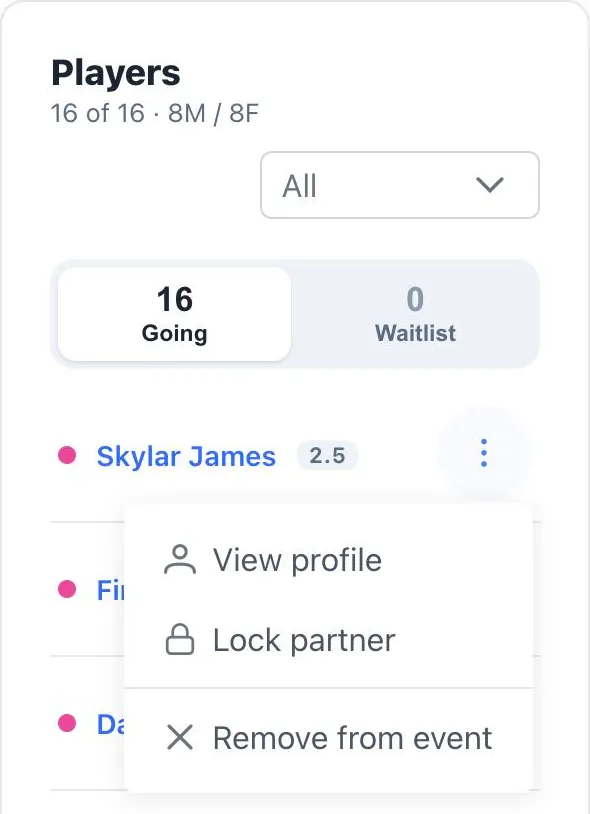
Open the menu on their row and choose Lock partner.
-
Pick their partner and tap Lock. In a mixed event, only players of the other gender are listed.
-
Generate the matches, or tap Shuffle Matches if they’re already generated. The lock applies the next time matches are built.
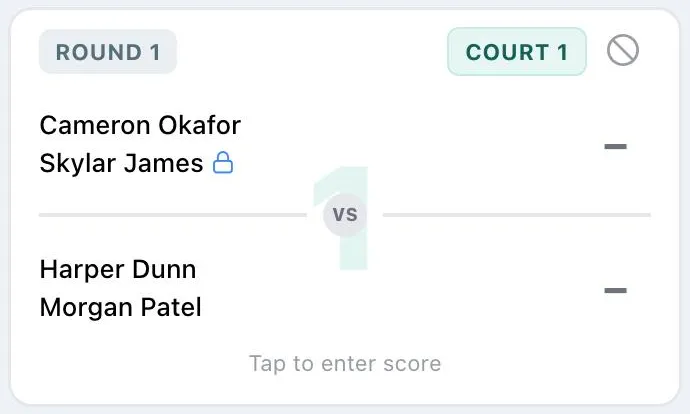
Both players now show a lock tag with their partner’s name in the Players list, and every game the pair plays shows a lock next to their names.
Unlock a pair
Section titled “Unlock a pair”Open the menu on either player’s row and choose Unlock partner. The next time you generate or shuffle, they rotate like everyone else.
If a locked player has to leave
Section titled “If a locked player has to leave”If one partner gets hurt or has to leave, open Game Functions and tap Swap Players to bring in a sub. The dialog warns you that the player is locked.
- All Unplayed Rounds unlocks the pair when you swap. The remaining partner rotates normally from then on.
- Specific Rounds splits the pair only in the rounds you pick, and they stay locked for the rest of the event. If the sub comes from the waitlist, the player they replace moves to the waitlist, so the pair is unlocked either way.
Swapping the two locked partners with each other keeps them locked.