
Invite players and co-organizers
Invite members by search or join code, handle join requests, and promote co-organizers.
Inviting members
Section titled “Inviting members”Open your group and tap + Invite Members.
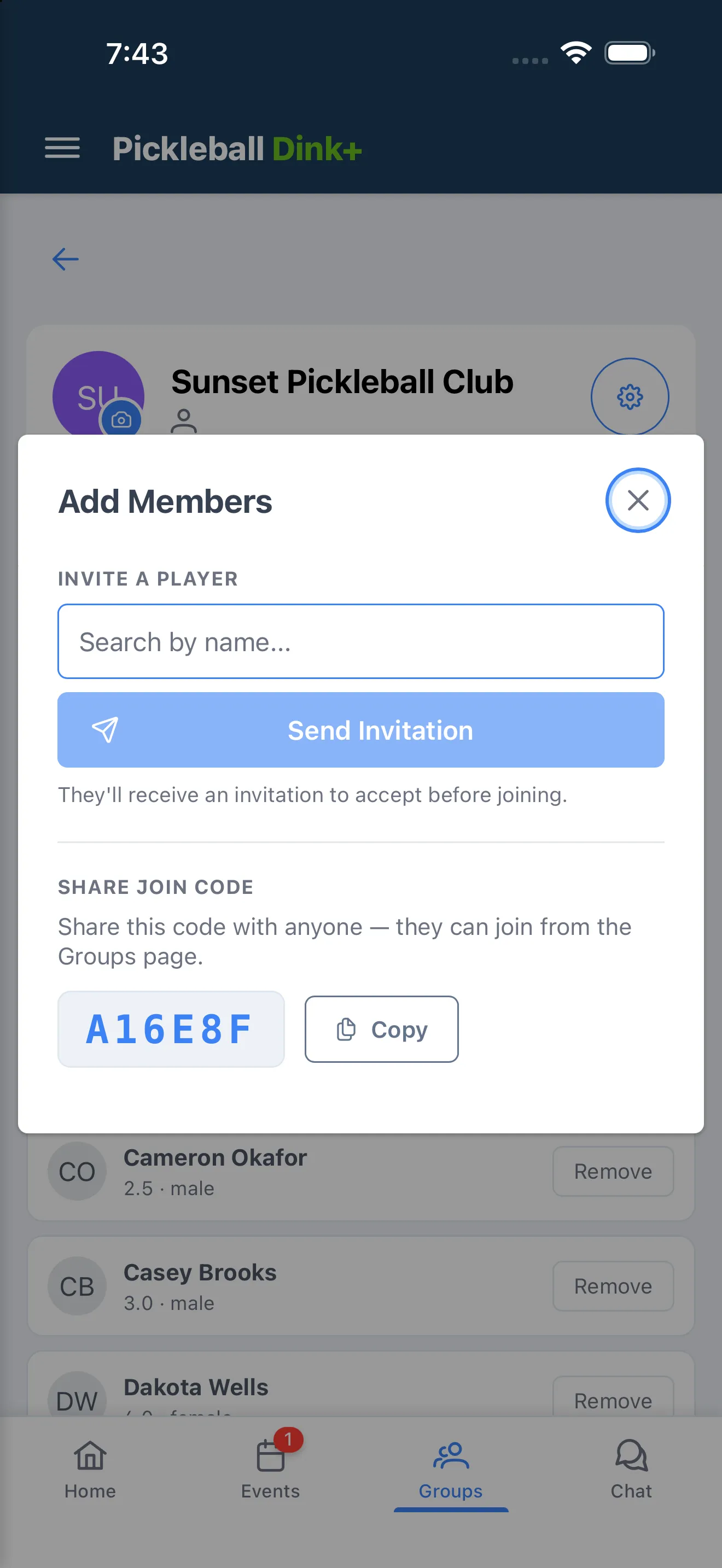
- Invite a player — search by name and tap Send Invitation. They see it under Pending Invitations on their own Groups page.
- Share join code — copy your group’s code so anyone can join themselves from the Groups page.
Pending invites
Section titled “Pending invites”Invites you’ve sent show under Pending Invites on the Members tab. Tap Cancel to withdraw one before it’s accepted.
Join requests (owner only)
Section titled “Join requests (owner only)”If your group has Public Discovery turned on, players can request to join. Requests show under Join Requests with the requester’s rating, gender, and when they asked — tap Accept or ✕ to decline.
Co-organizers
Section titled “Co-organizers”The group owner can promote a member to help run the group:
- Tap the star icon next to a member to Promote to Co-Organizer.
- Tap the filled star to Demote to Member.
Co-organizers can invite and remove members like the owner, but only the owner can promote someone to co-organizer or demote one back to member.