
Link DUPR and dispute scores
Connect your DUPR account, then know how match results reach DUPR and what to do if a score looks wrong.
Linking your DUPR account
Section titled “Linking your DUPR account”Open Settings → Profile and find the DUPR Rating section.
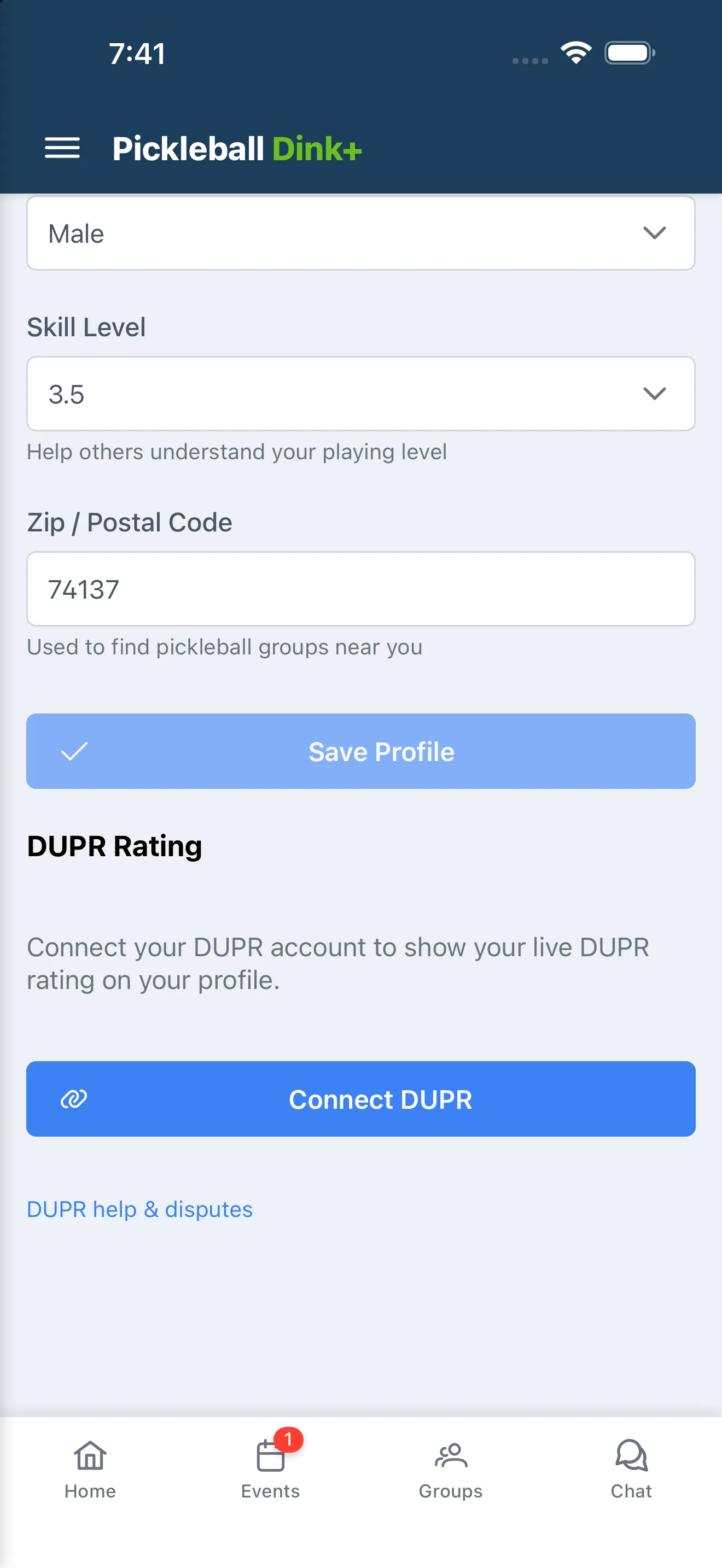
- If you haven’t linked an account, tap Connect DUPR and follow the prompts.
- Once linked, you’ll see your DUPR ID, Doubles and Singles ratings (each tagged provisional if DUPR hasn’t finalized it yet), and when they were last updated.
- If your link goes stale, a banner appears — tap Reconnect to refresh it.
- Tap Disconnect to unlink your account. Your DUPR rating stops showing on your profile and Dink+ stops receiving rating updates; you can reconnect anytime.
Some tournaments on Dink+ report match results to DUPR for player ratings. Here’s how scores get there, and what to do when one looks wrong.
How scores reach DUPR
Section titled “How scores reach DUPR”- When a tournament is marked as a DUPR event, every player must link their DUPR account to Dink+ before registering.
- Nothing is sent automatically. After the tournament is completed, the organizer reviews every finalized match on the Send to DUPR screen and submits them in a batch.
- Only tournament organizers can submit, correct, or remove matches on DUPR — players never submit their own scores through Dink+.
- Match dates on DUPR use the tournament’s facility timezone, set by the organizer in the tournament’s DUPR settings.
A score looks wrong
Section titled “A score looks wrong”Contact your tournament organizer first — they can correct the score in Dink+ and push the fix to DUPR from the same Send to DUPR screen.
If a match was submitted that shouldn’t count (wrong players, duplicate, forfeit), the organizer can remove it from DUPR entirely.
Disputing a match or rating
Section titled “Disputing a match or rating”- If your organizer can’t resolve it, email support with the tournament name, the division, and which match is in dispute.
- Questions about your DUPR account itself (login, profile, how ratings are calculated) go to DUPR support at mydupr.com — Dink+ only reports match results.
- If a match appears on your DUPR record that you never played, include your DUPR ID in your email so support can trace the submission.