
Set up your profile
Complete your profile when you sign up, then keep your name, photo, and rating current.
Your profile is what organizers and other players see — your name, skill level, and rating. Fill it in once at sign-up, then update it anytime from Settings.
Complete your profile
Section titled “Complete your profile”The first time you sign in, Dink+ asks for a few details before you can do anything else.
- Enter your Full Name.
- Choose your Gender — this is required for gender-balanced matchmaking.
- Choose your Skill Level, or pick I don’t know / Beginner if you’re not sure.
- Add your Zip / Postal Code (optional) so groups near you are easier to find.
- Agree to the Terms of Service and Privacy Policy, then tap Continue.
Edit your profile later
Section titled “Edit your profile later”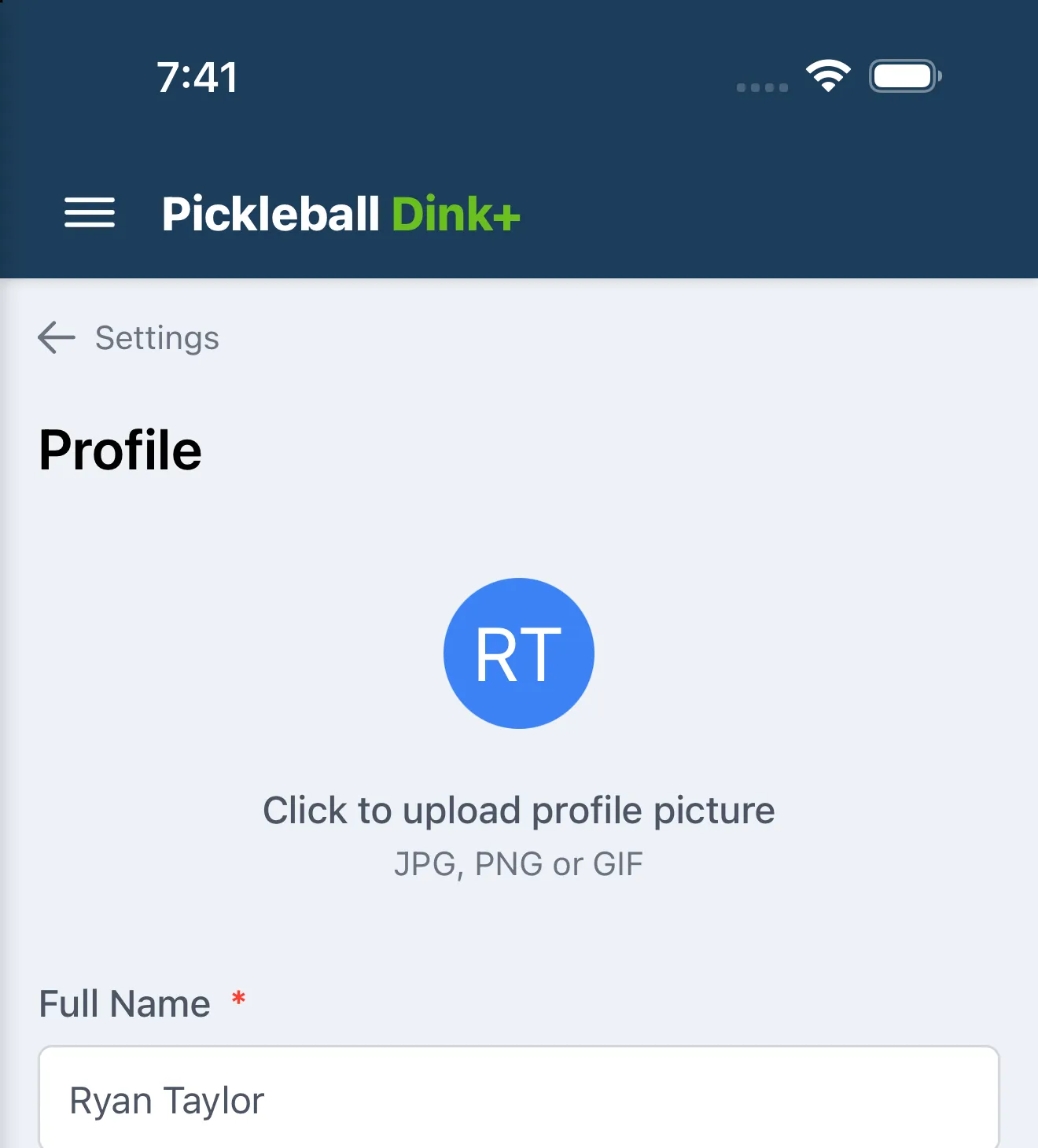
Open Settings → Profile to update any of these anytime:
- Tap your avatar to upload a profile picture (JPG, PNG, or GIF), or Remove photo to clear it.
- Full Name, Phone Number, and Zip / Postal Code.
- Gender — required, since it drives gender-balanced matchmaking.
- Skill Level — shown only until you link a DUPR account; after that, your DUPR rating replaces it here.
Tap Save Profile when you’re done, or Cancel to discard changes.