
Send a direct chat
Message other players privately, answer requests, and control who can reach you.
A direct chat is a private conversation with one or more people, outside your group chats. Nothing opens until the other person accepts your request.
Turn on direct chat
Section titled “Turn on direct chat”The first time you use direct chat, you’re asked Are you 18 or older? Other players never see your answer.
- Open Chat.
- Tap the plus button at the top, or Turn on on the card that says “Turn on direct chat so players can message you”.
- Tap Yes or No.
Start a chat
Section titled “Start a chat”You can chat with people you share a group, event, tournament or ladder with. Events, tournaments and ladders count while they’re upcoming or running, and for 90 days after they end. Search by name to find organizers of public events.
-
In Chat, tap the plus button.
-
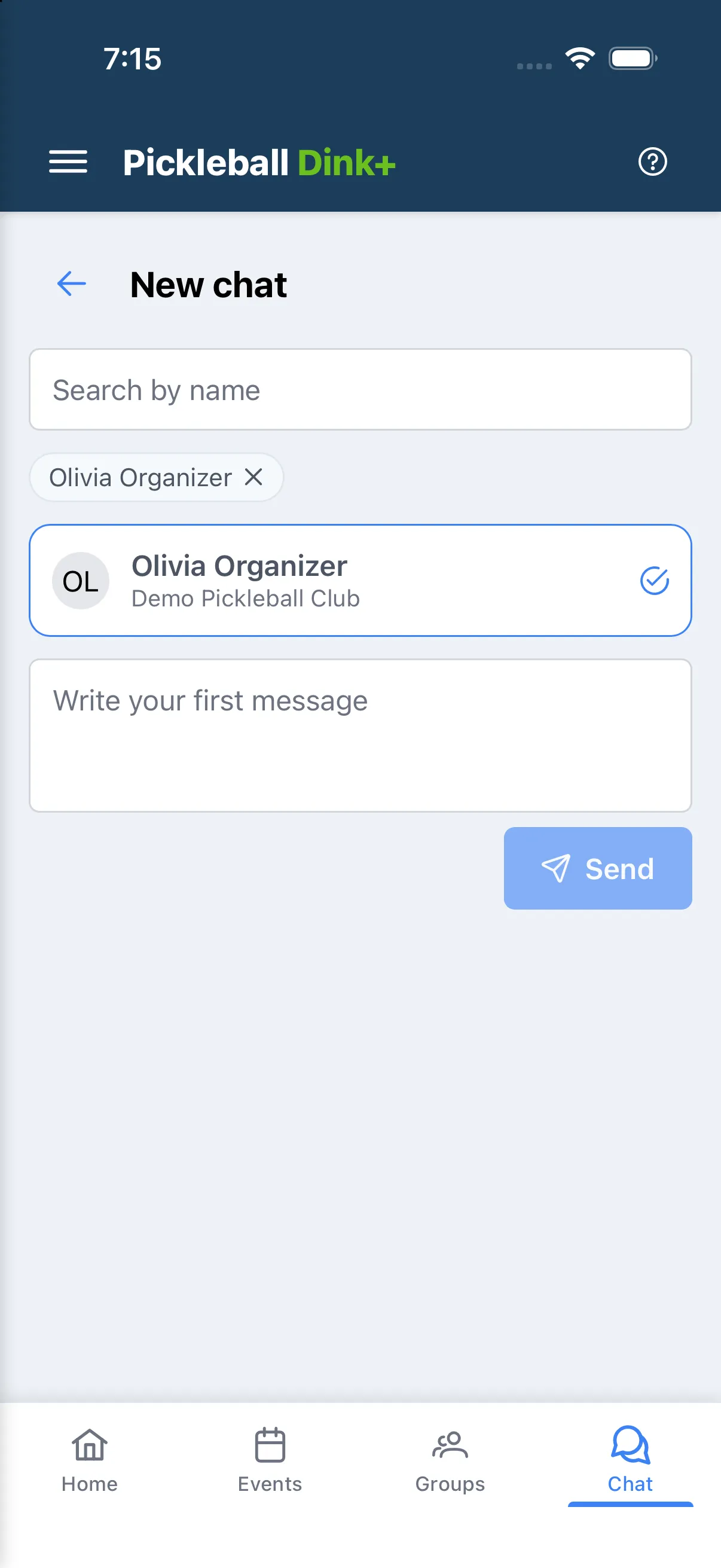
Pick one person, or up to 19 for a group chat. Use Search by name to narrow the list.
-
If you picked two or more people, you can fill in Chat name (optional).
-
Write your first message and tap Send.
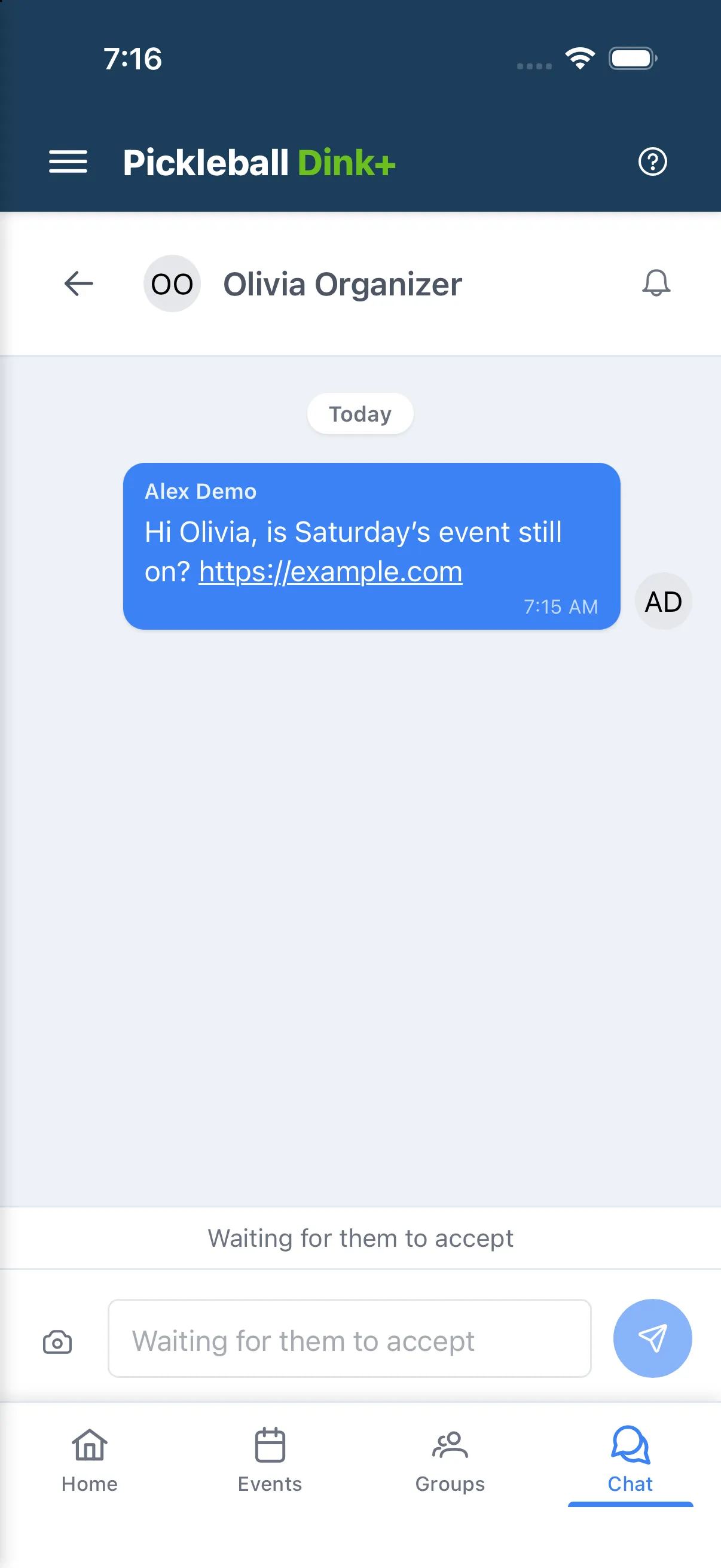
Your chat shows Waiting for them to accept, and you can’t send more until someone accepts. Your first message is text only.
If you start a chat with someone you already have a one-to-one chat with, your message goes into that chat.
You can invite up to 10 people a day. If you’ve reached the limit, you’ll see “You’ve reached today’s limit for new requests. Try again tomorrow.” If several people block or report you within a week, you’ll see “You can’t send new requests right now. Please try again in a few days.” Your existing chats keep working.
Answer a request
Section titled “Answer a request”When someone sends you a request, Requests appears at the top of Chat. You’ll see who sent it, anything you share with them, and their message. Links in a request can’t be tapped.
- Accept opens the chat, including any earlier messages.
- Delete removes the request. They aren’t told, and they can’t send you another request for 30 days. Deleting doesn’t block or report them.
- Block & report blocks them and sends the request to us for review. They aren’t told.
Once a chat is open, it works like a group chat: replies, reactions, photos, editing and muting.
Group direct chats
Section titled “Group direct chats”Everyone you invite accepts for themselves, and those who have accepted can talk straight away. Tap the people icon at the top of the chat to see who’s in it.
- Anyone can tap Leave chat.
- Only the person who started the chat can add people, under Add people. Each new person gets their own request.
Report or block someone in a chat
Section titled “Report or block someone in a chat”Long-press (or right-click) someone’s message, then choose Report or Block user.
Blocking stops direct messages both ways. In a one-to-one chat, you can’t send until you unblock them in Settings → Blocked Users. See Block someone.
Stop receiving requests
Section titled “Stop receiving requests”Open Settings → Notifications and turn off Receive direct chat requests. New people can’t find or message you, and your existing chats stay.
Age limit
Section titled “Age limit”Direct chat is for players 18 and older. If it isn’t open to you, you’ll see “Direct chat isn’t available on your account”. Group chats and events aren’t affected.
You can’t change your answer yourself. If you answered No and have since turned 18, or you tapped the wrong button, contact support.