
RSVP to an event
Join, RSVP, or get on the waitlist for an event, and see who else is coming.
How you respond to an event depends on its type — a Round Robin wants you to join or leave the roster, a Who’s Attending event just wants a yes, no, or maybe.
Joining a Round Robin or Team event
Section titled “Joining a Round Robin or Team event”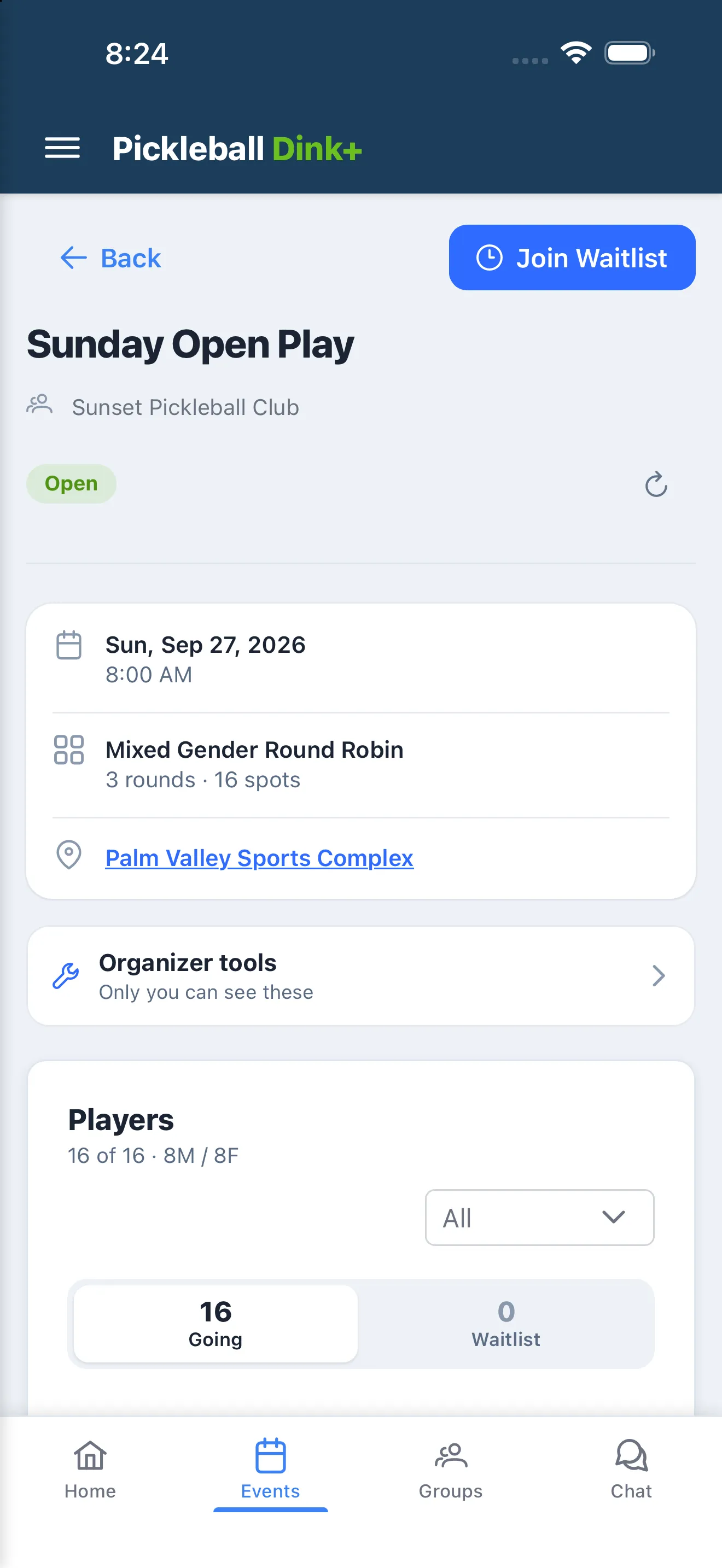
- Open the event and tap the join button. Its label tells you what will happen:
- Join Event (or Join as Player if you’re the organizer) — there’s an open spot.
- Join Waitlist — the event is full, or it balances signups by gender and needs a matching player first.
- Game Not Open — the organizer hasn’t opened signups yet.
- Already in, or on the waitlist? The button becomes Withdraw or Leave Waitlist — tap it, optionally add a reason, and confirm.
RSVPing to a Who’s Attending event
Section titled “RSVPing to a Who’s Attending event”- Open the event and tap Yes, No, or Maybe (if the organizer allows Maybe responses).
- Tap a different response anytime to change it.
Seeing who’s coming
Section titled “Seeing who’s coming”Tap View Responses on a Who’s Attending event to see everyone grouped under Yes, No, Maybe, and Pending tabs.
The waitlist
Section titled “The waitlist”- You’re notified when you’re promoted off the waitlist into the event.
- Waitlist order is first-come, first-served — unless the event balances signups by gender, in which case players are promoted in male/female pairs.