
Create an inter-club league
Set up facilities, teams, rosters, and a full-season schedule in five steps.
An inter-club league pits teams from different facilities against each other in weekly doubleheaders. The setup wizard builds the whole season for you.
Before you start
Section titled “Before you start”- You need a facility license.
- Facility reps who’ll manage teams should already have Dink+ accounts.
- Know roughly how many teams, facilities, and weeks you want.
Run the setup wizard
Section titled “Run the setup wizard”Open the wizard from the sidebar: Create Inter-Club League.
-
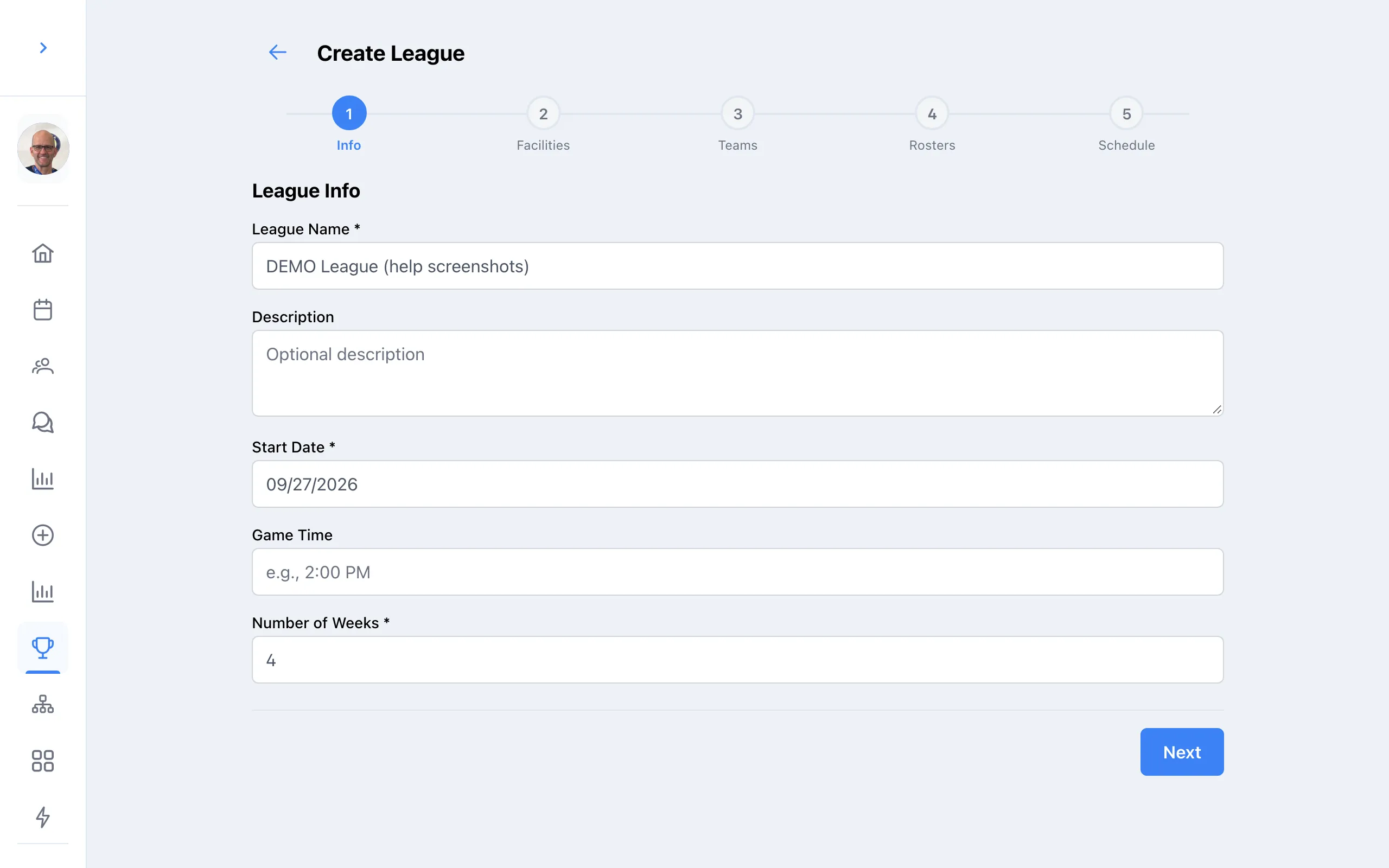
League info
Enter the League Name, Start Date (the first day of play), default Game Time, and Number of Weeks. Click Next to create the league.
-
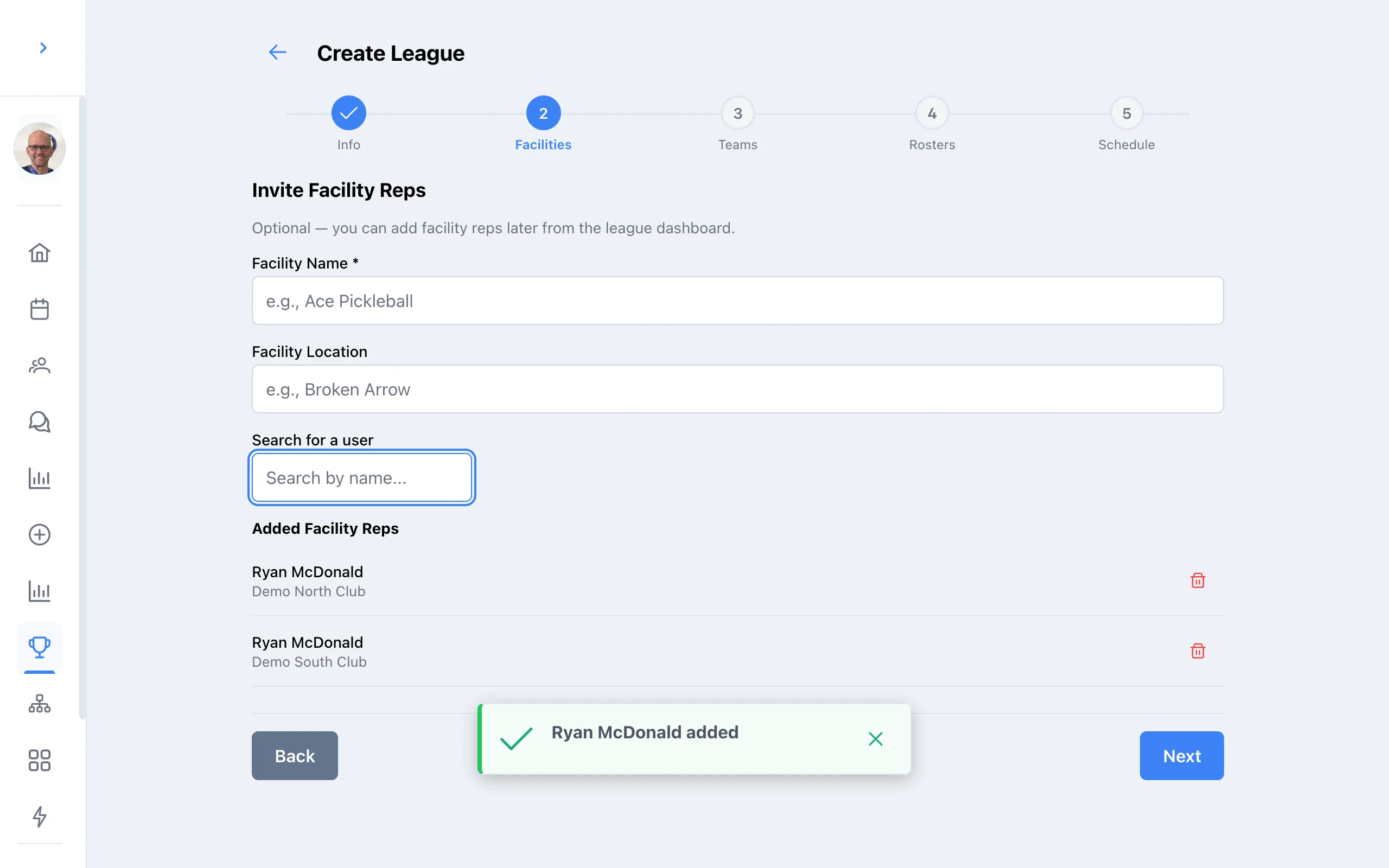
Invite facility reps
For each facility, enter its name and location, then search for the rep and select them.
-
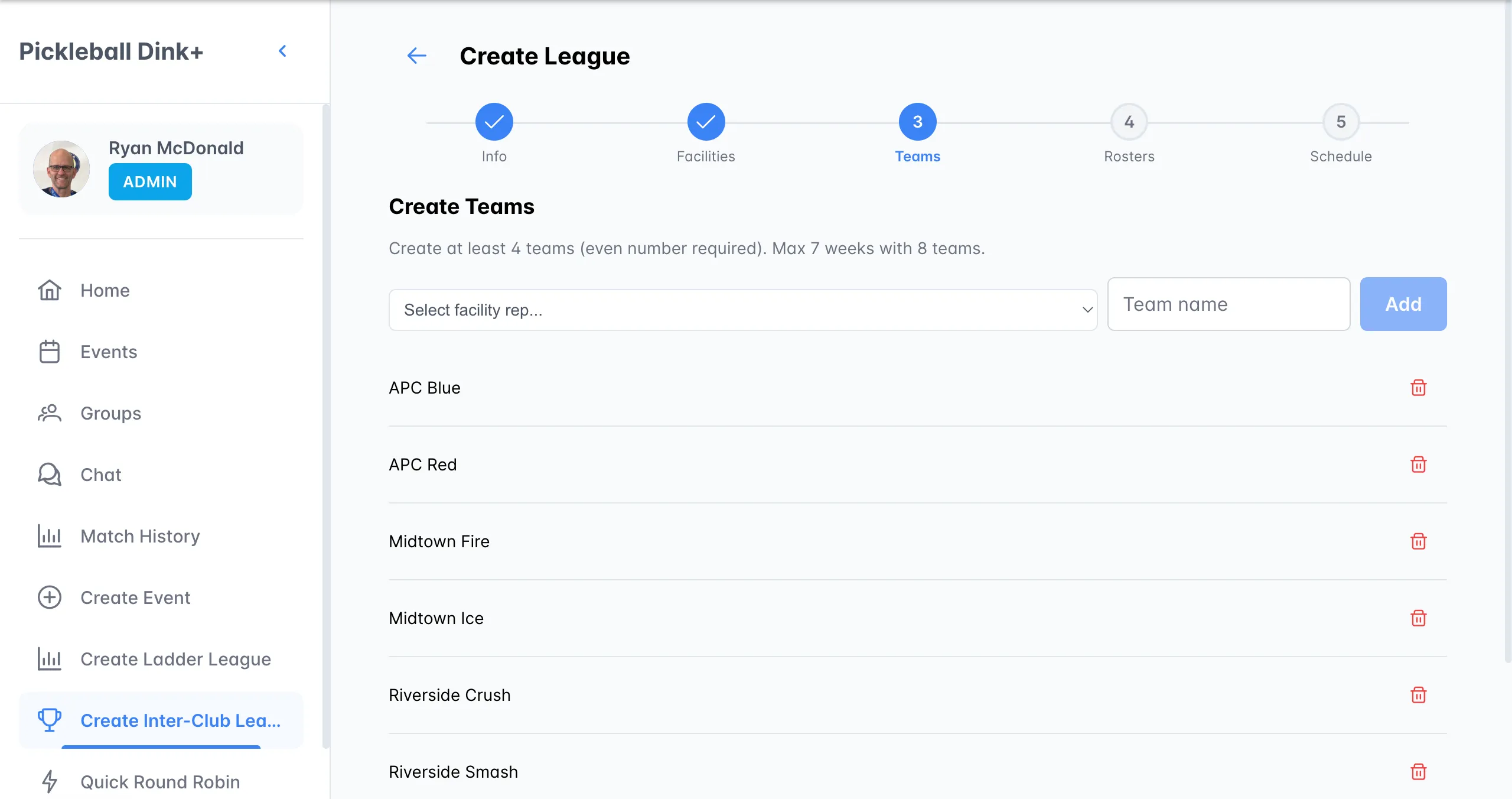
Create teams
Pick a facility rep, type a team name, and press Enter. You need at least 4 teams, and an even number.
-
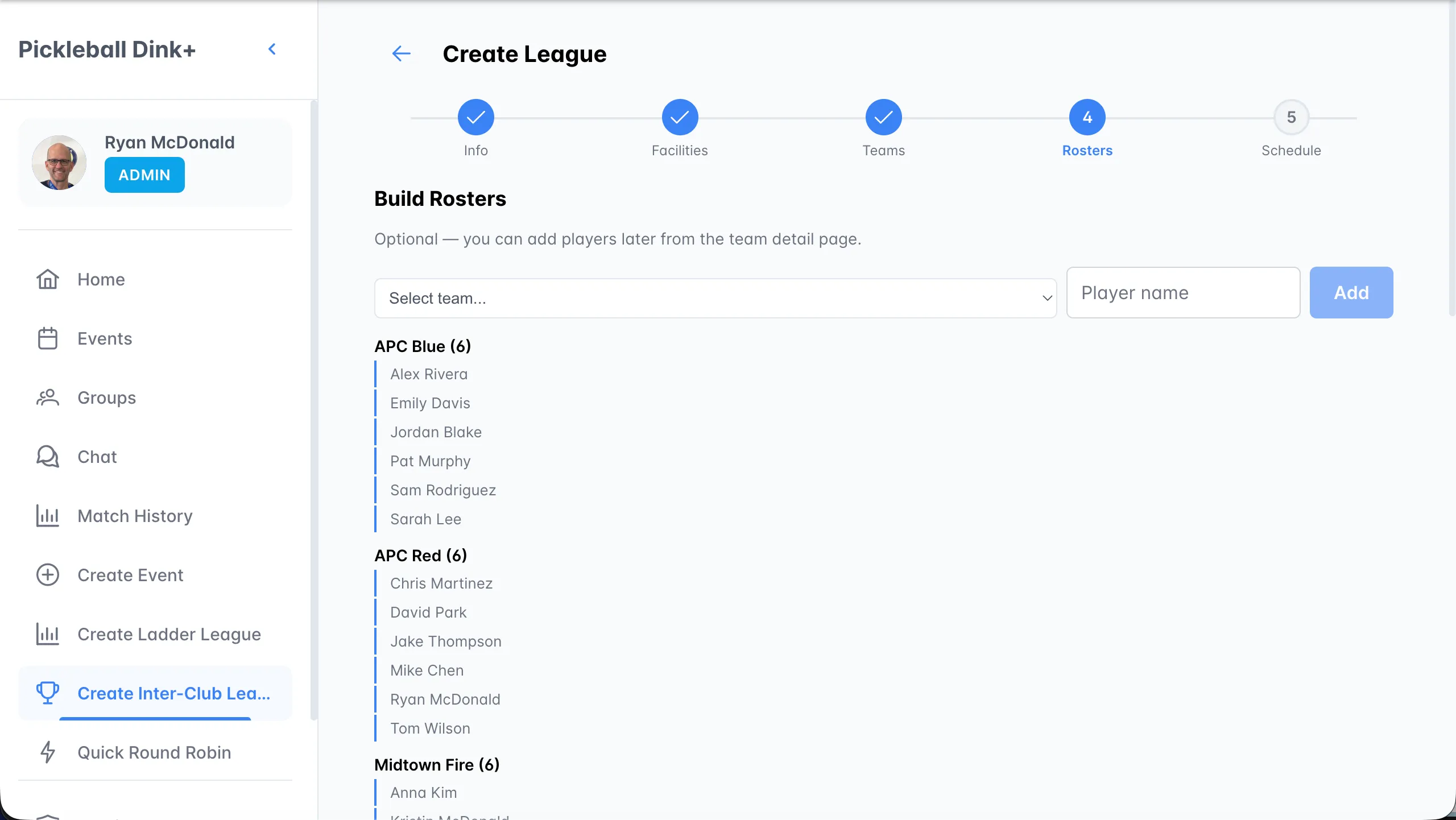
Build rosters
Pick a team, type a player’s name, and press Enter. Each team needs at least 4 players to submit a lineup.
-
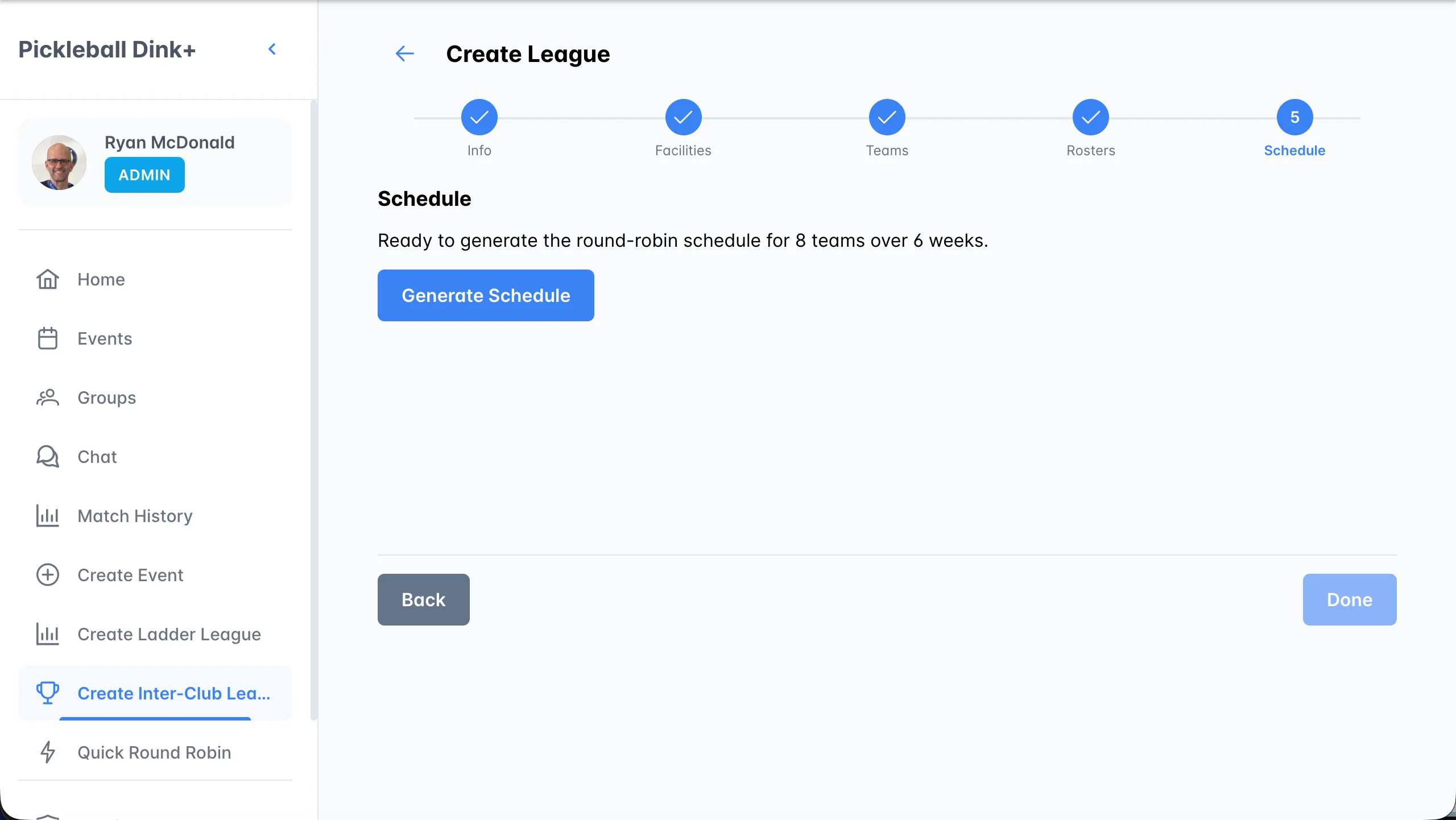
Generate the schedule
Click Generate Schedule, then Done to open the league dashboard.
What the schedule includes
Section titled “What the schedule includes”- A doubleheader for every pairing each week: Round 1 at one team’s home, Round 2 with home and away swapped.
- The venue is set from the home team’s facility.
- Game dates are weekly from your start date.