
Run a paddle rack
Put the queue on a TV, share a QR code, and let open play run itself.
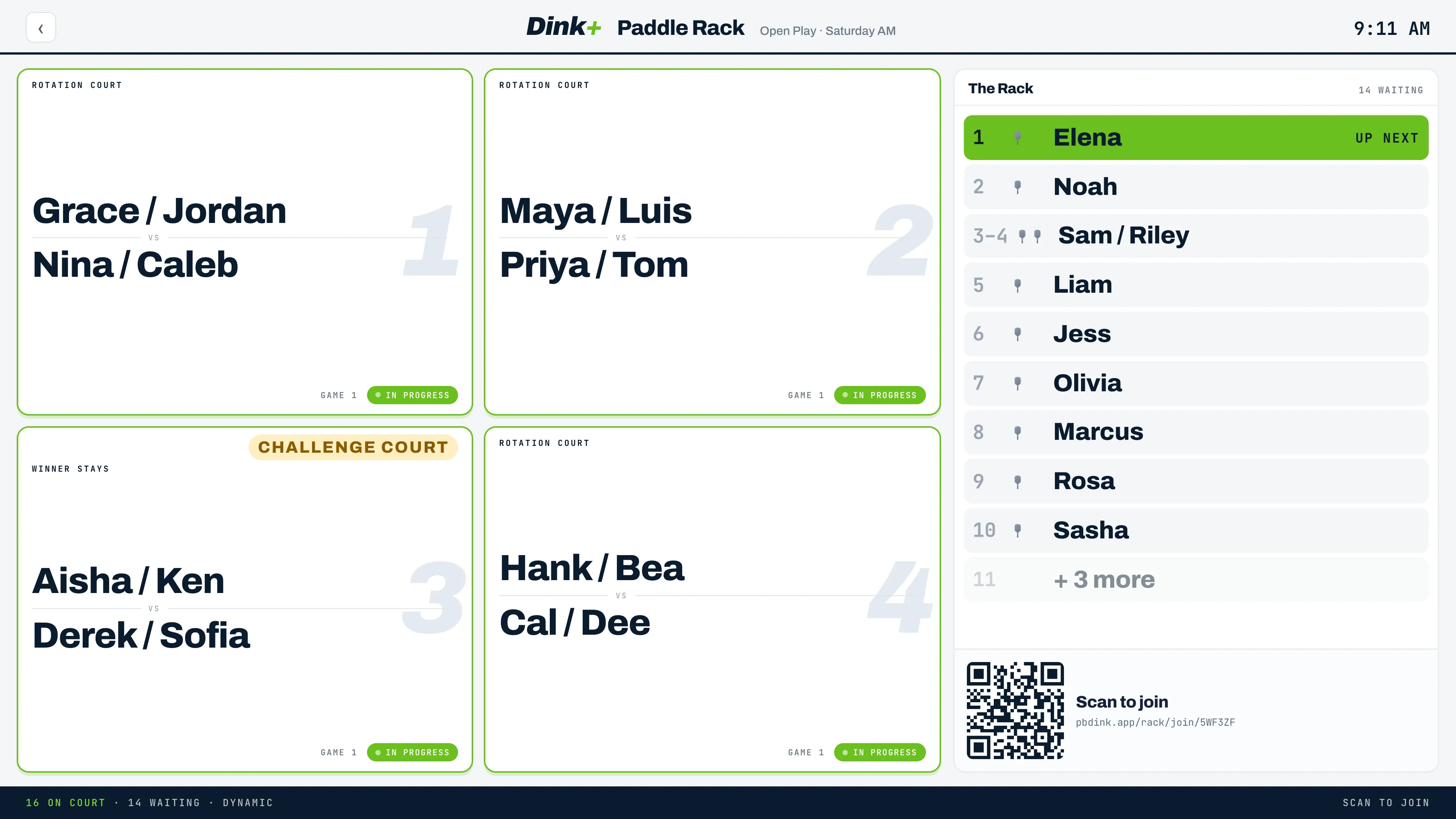
The paddle rack replaces the physical paddle line at open play. Players join from their phones, courts fill automatically, and the TV shows everyone where to go.
Start a session
Section titled “Start a session”- Open Paddle Rack from the menu and pick one of Your setups, or create a new one with a Rack name and the courts you’re using.
- Choose a Mode: a fixed Rotation such as 4-on/4-off, or Dynamic.
- Decide whether to Allow guests to join without an account.
- Tap Start a session.
- Open the display link on the TV, or use Print QR for a sign by the courts.
During play
Section titled “During play”| Section | What it shows |
|---|---|
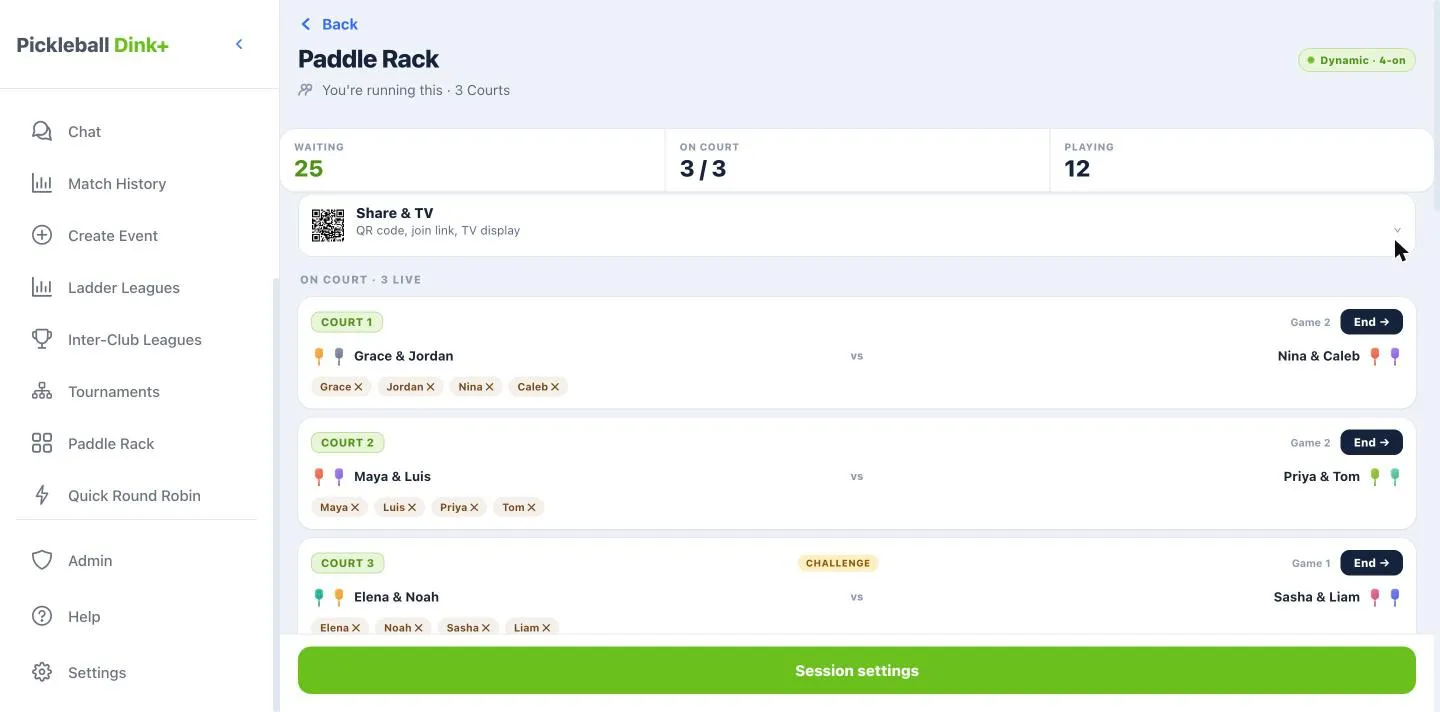
| Courts live | Who’s on each court right now. Tap End → when a game finishes. |
| Next up | The players who fill the next open court. |
| Waiting | Everyone else in line, in order. |